


Who should care about tracking?
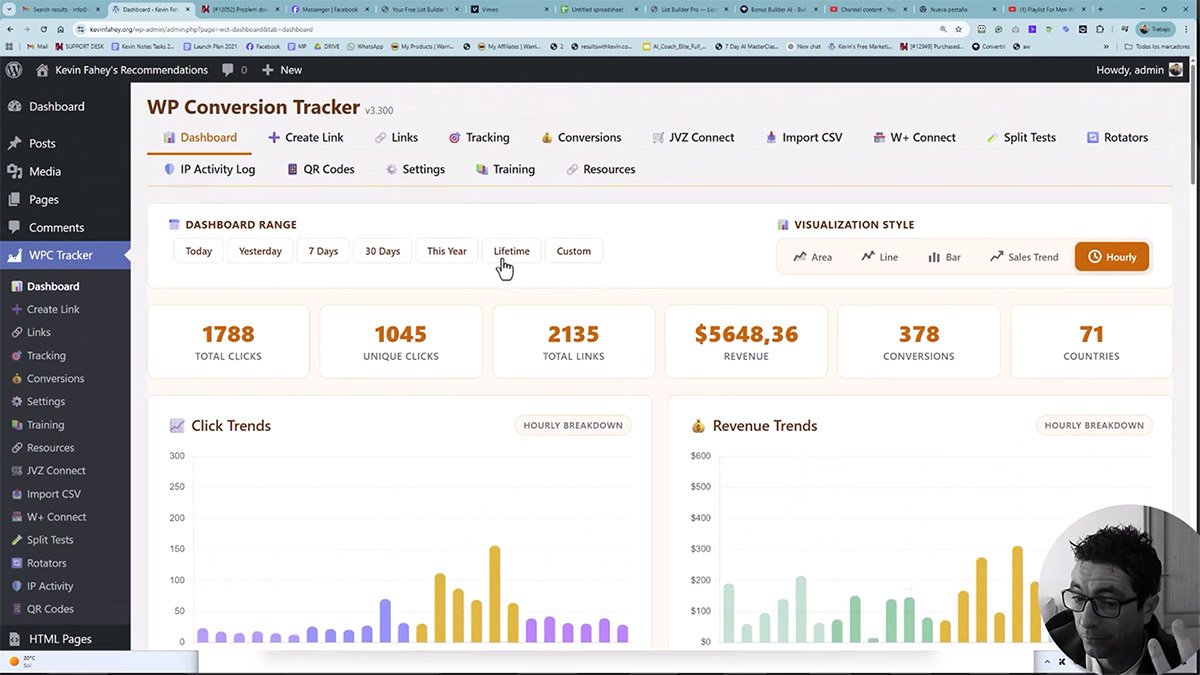
Anyone doing any kind of online marketing knows how hard it is to get visitors on your landing pages. Doesn’t matter what type of traffic you use, you’ll pay for it – either with money or your time. And surprisingly, knowing which techniques work for you can improve your results by ten fold. This is exactly what smart tracking is all about and the plugin that launches these days (WP Conversion Tracker by Kevin Fahey) does exactly that.
Shortly, any marketer who is selling anything (on- or off-line) should know which customers bring them sales.
How do I make use of tracking?
Imagine having a great looking landing page where you invite people to opt in for a free lesson in marketing (or anything you want to sell). Later on, you have a marketing funnel in place that sells another offer for $27. Your target is to sell at least enough to cover your advertising costs.
You use Facebook and YouTube to post short videos about this page, you use Facebook Ads to promote it, you invite people to a group you’ve created on Facebook or Skool, and so on.
It runs smoothly and you’re getting a steady 100 clicks per day.
With these 100 clicks, you’re making one sale every day.
In the same time, you’re working 3 hours every day to make sure all your posts get out there, your blog is on-point, and you pay $15 per day to Facebook for ads. So after all that, a sale worth $27 means you’ve made a profit of $12 for 3 hours of work. Does that make sense?
If you’re OK with that scenario, just go on. But if you want to scale up a bit, possibly getting a second sale every day, you better be prepared to double your efforts. Suddenly, you find yourself working 6 hours every day, spending $30 on ads and earning just $24.
Maybe you can scale it once more, getting to a 9-hours workday for a profit of $36.
I don’t think so. It’s time to ask yourself
Which clicks make me money?
You’re right, you have no idea. Unless you track your clicks.
And while you can easily set up a simple tracking via free plugins like Pretty Links, you will only see how many clicks came in, but you’ll still have no idea which clicks actually converted and made you money.
This is where click trackers come into the game.
Just think of it for a second.
By using a proper tracking method, you will soon find out that clicks coming from your blog convert at 30%, while clicks coming from Facebook ads only convert at 10% rate. Or maybe you’ll find out that one ad is particularly successful, converting at 30%, while others barely convert.
The correct way of moving forward is to put more work (or money in case of ads) into the methods that convert better and abandon or change the ones that perform poorly. And this is the only way to scale things up without burning out.
Without accurate tracking, every decision you make is a guess
You promote a product. It flops. But WHY did it flop? Was it the product? The traffic source? The landing page? The time of day? The device type?
You have no idea. So you try something else. And another thing. And another. Each time hoping THIS will be the breakthrough.
Meanwhile, the top 5% of affiliates… the ones pulling consistent 5-figure months aren’t guessing. They KNOW.
- Which emails convert at3 PM vs. 9 PM
- Which countries sendbuyers (USA, UK, Canada) and which send tire-kickers
- Whether their mobile traffic converts or if it’sall desktop buyers
- Which landing page variation converts287% better(via split testing)
- Which JVZoo/W+ products generatereal profit after refunds
- Which traffic sources look pretty butnever actually make money
They track everything. They test everything. They keep what works and kill what doesn’t. That’s the difference between struggling and thriving online.
Commercial trackers
Among many tracking apps around, ClickMagic is probably the most known. It’s fast, it’s secure, it’s working well and makes it possible to do many useful things a marketer must do.
The problem – the usual problem – is pricing.
The starter plan, which lets you track 10,000 clicks monthly (I know, souds like a lot, but…), will cost you $66/month, paid yearly ($790). That’s another cots many beginners are not capable of paying.
It’s actually pretty stupid for anyone just starting up to pay such amounts for something they’re not even sure how to do properly.
Luckily, there are alternatives that make this burden much less painful.
Tracking in WordPress
Like already mentioned, there are plugins like Pretty Links that are completelly free to install. The limitations however are huge – while it does a great job shortening your URL address and counting clicks, there’s just no way to tell which of these clicks resulted in a conversion. It’s just not made for it, unless you pay for a premium version, of course; but this will cost you $200/year. Even so, you’ll fall short the moment you try to extract more detailed data about your sales.
Luckily for me and you, there’s an alternative available.
WP Conversion Tracker
A 7-figure affiliate marketer you might know about, Kevin Fahey, had exactly the same problem I’ve described above. And he was missing some data in spite of paying $97/month to ClickMagic. The logical solution was to create a tracker that would fit his needs – which he did all the way back in 2010 and called it WP Conversion Tracker.
On May 19th he is opening the offer for the latest version 3 of this magnificent software. Here are some details in a demo.
Pricing
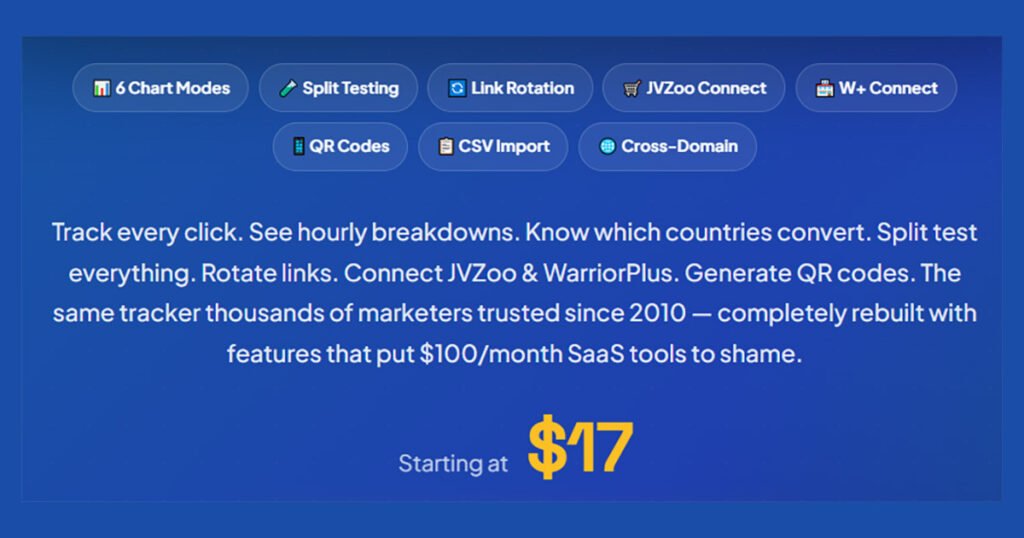
WP Conversion Tracker is available for just $17 during this launch period. And that’s a one-time fee.
Crazy.
However, some additional functionalities that come really handy are available as upgrades or as part of a bundle offer that will cost you just $67. One-time. Compared to ClickMagic or some competitors, it’s practically free.
I believe you will get the main points from the demo video above, so let me just point out some of the most important features I particularly like, besides the fact it actually tracks almost everything.
Link Rotator
WP Conversion Tracker lets you rotate links in three modes:
- Round-Robin: cycle through URLs in order.
- Fulfill: send all traffic to URL #1 until cap, then switch.
- Weighted: distribute by percentage.
This means you can define links and make them update automatically based on your preference.
Split-testing
You can now split-test links to see which ones perform better.
Test 2, 5, or 10 destination URLs per link. Custom weight percentages. Independent stats per variant. Find the winner with data, not guesswork.
IP Activity Log
See every click with forensic detail: IP, country, referer, user agent, timestamp. Block bots, competitors, and junk traffic with one click.
Link Importer
If you’re anything like me, you probably have hundreds of links already created in some way or another.
You don’t have to retype them all.
You can now bulk-import them via a CSV file import that WP Conversion Tracker directly supports.
Integrations
WP Conversion Tracker supports native integrations with some of the most used platforms for affiliate marketing. By using them, you will always have exact data about your conversions, refunds and chargebacks that you need to make informed decisions.
Auto-receive conversion data from:
- ClickBank
- JVZoo
- WarriorPlus
- Stripe
- PayPal
- Digistore24
- PayKickstart
- ThriveCart
- SamCart
- Gumroad
Conclusion
If you want to run affiliate marketing – or any other kind of marketing actually – you need to track your links properly. You’ll have to make decisions, and without proper data, everything is just guessing. It may work and it may flop and burn your money for nothing.
WP Conversion Tracker is a very useful tool that gives you plethora of information about your business links. I’ve jumped in and bought it immediately (yes, I took the Bundle!), with a 5-site license. For now, I’ve installed it on one site and I’m literally playing with it, because there are so many options.
If you’re serious, don’t wait. Hop on and grab your copy immediately.
I sincerely recommend taking the Bundle version, because for $67 there is simply nothing that even comes close to WP Conversion Tracker.

Thank you for reading!







0 Comments